What Is USB HID ?
USB HID stands for Universal Serial Bus Human Interface Device.
USB HID is a standardized USB device class. Its most common applications include keyboards, mice, and game controllers, although it can also be used for other devices that comply with the HID specification.
According to the device class definitions established by the USB Implementers Forum (USB-IF), HID uses USB interface class code 03h. HID devices use descriptors and HID reports to describe their functions and data formats to the host.
For a USB HID keyboard device, the host interprets key states according to its HID descriptors and keyboard reports and converts them into keyboard input events within the operating system.
Therefore, the essential function of a USB HID keyboard converter cable is not simply to change the connector shape. It enables a device that originally transmits data through a serial interface to provide input to a host as a USB keyboard device.
What Is the Difference Between USB to HID and Serial to HID ?
USB to HID is a relatively broad market term. It may refer to converting data from a particular USB device into HID input or enabling a device to communicate with a host through USB using the HID device class.
In contrast, the Serial to USB HID Keyboard Conversion discussed in this article has a more specific technical direction: converting data from RS232 or another compatible serial interface into USB HID keyboard input.
These concepts are not interchangeable. An ordinary USB-to-RS232 converter typically provides a serial communication interface to the computer, whereas a serial-to-USB HID keyboard converter cable outputs characters or key events through keyboard reports.
Quick Product Introduction
1. RS232 Serial to USB HID Keyboard Cable
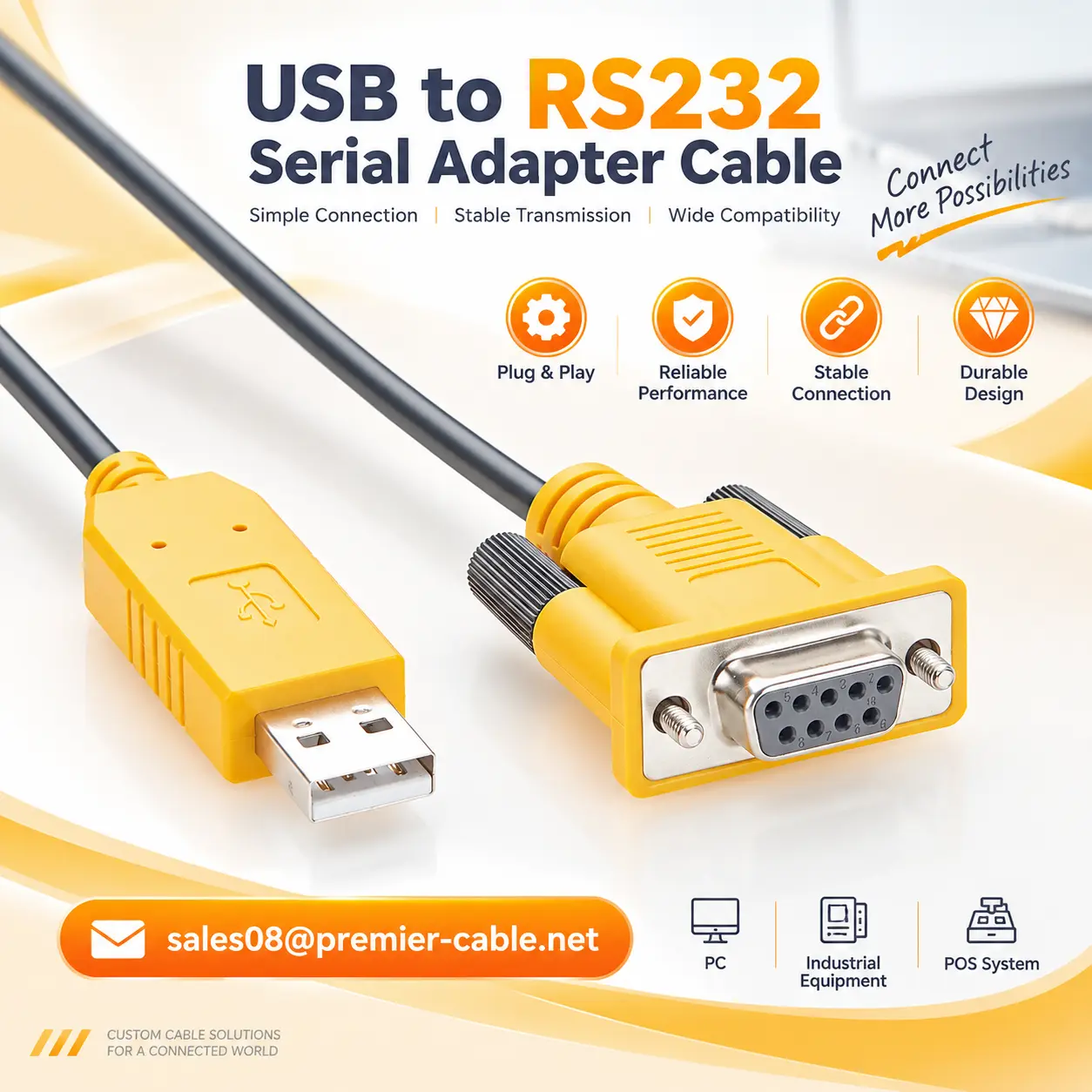
The RS232 Serial to USB HID Keyboard Cable is an active serial data conversion cable designed to connect traditional RS232 devices to modern USB hosts. Featuring an integrated controller and protocol conversion circuit, it parses ASCII data from serial equipment and converts it into USB HID keyboard input without requiring dedicated serial reception software.
For example, when connected to an RS232 barcode scanner, the cable enables scanned data to be entered directly into the active input field of ERP, WMS, or POS systems. It addresses interface and data entry incompatibilities between legacy serial devices and USB keyboard-based systems, making it suitable for industrial data acquisition, warehouse management, and retail terminals.
2. Serial to HID Keyboard Converter Cable
The Serial to HID Keyboard Converter Cable is an intelligent serial-to-USB HID keyboard conversion cable that transforms data from compatible serial devices into keyboard input recognized by computers. Depending on its hardware design, the product can support serial interfaces such as RS232 and TTL UART, using integrated firmware for data parsing, character mapping, and keyboard event emulation.
It is suitable for industrial instruments, electronic scales, inspection equipment, and automated data acquisition systems, enabling existing business software to receive equipment data directly. Communication parameters, character filtering, prefix and suffix insertion, and keyboard mapping can also be customized to meet specific application requirements, improving device compatibility and system integration efficiency.

Pain Point Analysis
Why Are Serial to USB HID Keyboard Converter Cables Needed ?
01
Product Value
◆ Extend the Value of Existing Equipment
Active conversion between serial interfaces and USB HID keyboard input helps compatible legacy RS232 equipment connect to modern computers and business systems, reducing the need to replace entire equipment systems solely because of differences in interfaces and data entry methods.
◆ Simplify Terminal Software Integration
For applications that support standard keyboard input, the converter provides data through keyboard events, reducing the need to develop dedicated serial reception programs and helping enterprises standardize data entry methods across different equipment.
◆ Support Automated Equipment Data Entry
Through firmware functions such as character parsing, data filtering, prefix and suffix configuration, and keyboard mapping, serial data can be converted into input content suitable for the target application according to the business workflow.
◆ Support OEM Customization and System Integration
Connector types, cable lengths, chipset solutions, and firmware functions can be evaluated for customization according to actual equipment interfaces, electrical requirements, communication protocols, installation distances, and software input rules, providing supporting cable assembly solutions for industrial equipment manufacturers and system integrators.
Compatibility Statement
Interface, Electrical, and Serial Protocol Compatibility
Before use, verify the electrical standards, connector pin assignments, communication direction, and power supply requirements of RS232, TTL UART, or other supported interfaces. Baud rate, data bits, stop bits, and parity settings must also match. For binary data or proprietary protocols, confirm the message format, data extraction, and character conversion rules. Identical connector shapes or communication parameters do not guarantee device compatibility.
USB Host, Keyboard Mapping, and Software Compatibility
The converter cable requires a device supporting USB Host mode and HID keyboard functionality. Operating system, keyboard layout, and business software compatibility must be verified. Character output may be affected by input methods, special character mapping, and the active input field. Dedicated conversion solutions should be evaluated for Chinese characters, Unicode, or complex data. HID keyboard input cannot independently confirm successful data storage, so practical testing is essential for critical applications.
How to Choose the Right Product ?
Identify the Actual Serial Interface
First, determine whether the equipment uses RS232, TTL UART, RS422, or RS485, and verify the connector model, pin assignments, electrical signals, and communication direction. If the equipment explicitly uses RS232, the RS232 Serial to USB HID Keyboard Cable can be evaluated. If the equipment uses another serial standard, confirm whether the Serial to HID Keyboard Converter Cable is available in a corresponding hardware version.
Confirm the Target Software's Data Reception Method
If the target software receives data through text fields, forms, or other standard keyboard input interfaces, a USB HID keyboard emulation solution can be evaluated. If the software needs to read a COM port directly, receive raw binary messages, or send control commands to the equipment, USB CDC serial communication or another dedicated communication solution should be evaluated to avoid mistaking a keyboard emulator for a general-purpose serial converter.
Verify Serial Parameters and Data Conversion Rules
Before purchasing, provide the equipment's baud rate, data bits, stop bits, parity, flow control requirements, and actual output data samples. Also specify whether automatic Enter or Tab insertion, invalid character removal, designated field extraction, character reordering, or special keyboard mapping is required. For equipment using proprietary protocols, communication protocol documentation and actual test data should be provided to evaluate the feasibility of firmware customization.
Confirm Cable Construction, Operating Environment, and Validation Requirements
Confirm the USB connector type, serial connector gender, cable exit direction, cable length, shielding requirements, and mounting method according to the available installation space and actual operating environment. For industrial applications, ESD protection, power supply stability, electromagnetic compatibility, and mechanical durability should also be evaluated. Before volume purchasing, complete data entry testing using the actual equipment and target business software is recommended to verify that the conversion results meet system requirements.
Customization Capabilities
Connector, cable, pinout, shielding and mechanical details can be developed around your equipment interface and installation requirements.
↕ Interface and Connector Customization
Customize DB9 male/female, USB Type-A/Type-C, and dedicated connectors to match device pinouts and electrical requirements.
□ Chipset and Circuit Design Customization
Customize USB controllers, RS232 transceivers, and ESD protection circuits to optimize conversion performance and stability.
◉ Serial Communication Parameter Customization
Customize baud rate, data bits, stop bits, parity, and flow control settings to meet different serial communication requirements.
⚙ Data Parsing and HID Keyboard Mapping Customization
Customize character filtering, data extraction, prefix/suffix insertion, automatic Enter/Tab input, and HID keyboard mapping.
⌘ Cable Length and Construction Customization
Customize cable length, jacket materials, shielding structures, and cable exit directions to meet industrial installation requirements.
◇ OEM Volume Production and Project Integration
Provide OEM sample development, product labeling, custom packaging, and volume production with compatibility validation based on customer requirements.
Product FAQ
What Does USB to HID Mean ?
USB to HID generally refers to enabling a device to communicate with a host through the USB HID class or converting data from another device into HID input. For the products discussed in this article, it specifically means converting RS232 or other compatible serial data into USB HID keyboard input, allowing a computer to receive equipment data in the same way it receives ordinary keyboard keystrokes.
Does an RS232 to USB HID Keyboard Converter Cable Require a Driver ?
If the product correctly implements a standard USB HID keyboard interface and the target operating system supports the corresponding USB HID keyboard class, basic keyboard input can generally use existing system drivers without installing a dedicated USB-to-serial driver. However, special configuration utilities, nonstandard HID functions, or particular host environments may still require additional software support.
What Chip Is Used in a USB HID Converter Cable ?
A typical RS232-to-USB HID keyboard converter cable may use a microcontroller with USB Device and UART capabilities, together with an RS232 transceiver and dedicated conversion firmware. The ATmega32U4 and selected PIC microcontrollers with USB device capabilities are examples of possible technical options. The exact chipset models used in Premier Cable products must be confirmed through the actual BOM, product drawings, or manufacturing specifications.
Can the FT232 and FT260 Directly Emulate an HID Keyboard ?
Conventional FT232 USB-to-UART bridge solutions are primarily intended for serial data communication, and standard HID keyboard emulation cannot be assumed from the chipset model alone. Although the FT260 uses the USB HID class for UART/I²C data bridging, its standard bridging functionality is not equivalent to USB HID keyboard emulation. If serial data must be converted directly into keyboard events, a controller and firmware solution capable of generating the required keyboard reports should be selected.
Does an RS232 to HID Keyboard Converter Cable Support Bidirectional Communication ?
Standard keyboard emulation primarily converts serial data into host keyboard input and does not automatically provide general-purpose bidirectional serial communication. Although some hardware can be designed with bidirectional data channels, support for sending control commands from the host to the serial device depends on the specific firmware, USB interface configuration, and product design.
Can Automatic Enter, Tab, and Data Formatting Be Customized ?
Automatic Enter and Tab insertion, prefixes and suffixes, character filtering, fixed-field extraction, and keyboard mapping can be evaluated according to the actual firmware design. Customers should provide original serial data samples, target input formats, and business software workflows so that functional feasibility can be confirmed and sample testing can be performed.