
Hey there! As a supplier of Devicenet adapters, I've seen firsthand how crucial it is to optimize the performance of these devices. In this blog, I'll share some tips and tricks that I've gathered over the years to help you get the most out of your Devicenet adapter.
Understanding Devicenet Adapters
Before we dive into optimization, let's quickly go over what Devicenet adapters are. Devicenet is a communication protocol used in industrial automation. It allows different devices, like sensors and actuators, to talk to each other and to a central controller. A Devicenet adapter acts as a bridge between these devices and the network, enabling seamless communication.
1. Proper Installation
The first step in optimizing your Devicenet adapter's performance is to install it correctly. Make sure that the adapter is installed in a clean, dry, and well - ventilated area. Avoid placing it near sources of heat, electromagnetic interference (EMI), or radio - frequency interference (RFI). These factors can disrupt the signal and cause communication issues.
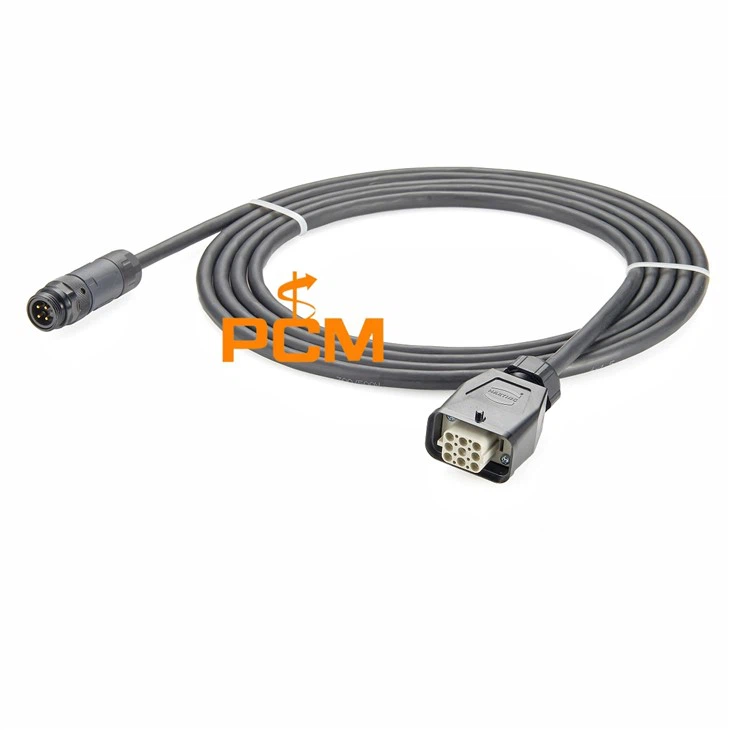
When connecting the cables, ensure that they are properly seated and tightened. Loose connections can lead to intermittent signals, which can result in data loss or incorrect readings. Also, use high - quality cables that are designed for Devicenet applications. For example, the DeviceNet Cordset Adapter Cable M12 To 7/8″ 5 Pin is a great option as it's specifically made for these types of connections.
2. Configuration Settings
Once the adapter is installed, you need to configure it properly. Most Devicenet adapters come with configuration software that allows you to set parameters such as baud rate, node address, and data format. The baud rate determines how fast data is transmitted over the network. It's important to set the baud rate to a value that is compatible with all the devices on the network. If the baud rate is too high, the devices may not be able to keep up, and if it's too low, the data transfer will be slow.
The node address is a unique identifier for each device on the Devicenet network. Make sure that each adapter has a unique node address to avoid conflicts. The data format setting should also be configured according to the requirements of your application. Some applications may require a specific data format, such as ASCII or binary.
3. Network Topology
The network topology, or the way the devices are connected on the network, can also affect the performance of your Devicenet adapter. The most common topologies for Devicenet are linear and tree topologies. In a linear topology, the devices are connected in a straight line, while in a tree topology, the devices branch off from a main trunk.


When designing your network topology, keep the length of the cables in mind. Longer cables can cause signal attenuation, which means the signal strength decreases as it travels along the cable. Try to keep the cable lengths as short as possible and use repeaters if necessary to boost the signal. Also, avoid creating loops in the network, as this can cause signal reflections and interference.
4. Power Management
Proper power management is essential for the optimal performance of your Devicenet adapter. Make sure that the adapter is powered by a stable and clean power source. Fluctuations in the power supply can cause the adapter to malfunction or even damage it.
Some Devicenet adapters have power - saving features that can be enabled to reduce energy consumption. However, be careful when using these features, as they may also affect the adapter's performance. For example, if the adapter goes into a low - power mode, it may take longer to respond to requests.
5. Regular Maintenance
Just like any other piece of equipment, your Devicenet adapter requires regular maintenance. Check the cables and connections periodically for signs of wear and tear. Replace any damaged cables or connectors immediately.
Clean the adapter and its surroundings regularly to prevent dust and debris from accumulating. Dust can clog the ventilation ports and cause the adapter to overheat. You can use a soft, dry cloth to clean the adapter, and if necessary, a mild cleaning solution.
6. Firmware Updates
Manufacturers often release firmware updates for their Devicenet adapters to improve performance, add new features, or fix bugs. Make sure that you regularly check for firmware updates and install them as soon as they are available.
Updating the firmware can sometimes be a bit tricky, so make sure to follow the manufacturer's instructions carefully. Before updating the firmware, back up any important configuration settings to avoid losing them.
7. Compatibility with Other Devices
Your Devicenet adapter needs to be compatible with all the other devices on the network. This includes sensors, actuators, and controllers. Check the device specifications to ensure that they are all Devicenet - compliant.
If you are adding new devices to the network, test them thoroughly before integrating them fully. Some devices may have different communication requirements or may not be fully compatible with the existing network. For example, if you are using a Mini - Change DeviceNet Coupler Female To Female, make sure it works well with all the other devices on the network.
8. Error Handling
Even with the best optimization, errors can still occur on the Devicenet network. Your adapter should be able to handle these errors gracefully. Most Devicenet adapters have built - in error - handling mechanisms, such as error reporting and retry functions.
When an error occurs, the adapter should report the error code so that you can diagnose and fix the problem. The retry function allows the adapter to attempt to resend the data if the initial transmission fails. Make sure that these error - handling features are enabled and configured correctly.
9. Monitoring and Troubleshooting
Regularly monitor the performance of your Devicenet adapter using monitoring tools. These tools can help you detect issues such as high error rates, slow data transfer, or abnormal device behavior.
If you encounter a problem, use troubleshooting techniques to identify and fix the issue. Start by checking the basic things like cable connections, power supply, and configuration settings. If the problem persists, you may need to contact the manufacturer's technical support.
10. Training and Education
Finally, make sure that your staff is properly trained in using and maintaining the Devicenet adapter. A well - trained team can quickly identify and solve problems, which can save you time and money in the long run.
Provide your staff with training on Devicenet technology, adapter configuration, and troubleshooting techniques. You can also encourage them to stay updated on the latest industry trends and best practices.
In conclusion, optimizing the performance of a Devicenet adapter requires a combination of proper installation, configuration, maintenance, and monitoring. By following these tips, you can ensure that your adapter operates at its best, providing reliable and efficient communication for your industrial automation system.
If you're interested in purchasing high - quality Devicenet adapters or need more information on how to optimize their performance, feel free to reach out to us for a procurement discussion. We're here to help you find the best solutions for your needs.
References
- Industrial Automation Handbook
- Devicenet Protocol Specification