

1, Confirm that the adapter is damaged
Before replacing the M8 adapter, it is necessary to confirm that the adapter is indeed damaged. Common signs of damage include: cracked connector housing, deformed or corroded contact terminals, poor electrical connections (such as signal loss, intermittent disconnection), etc. Once these signs are detected, immediately stop using the adapter and prepare for replacement.
2, Prepare to replace tools and materials
Replacing the M8 adapter requires some basic tools and materials, including:
New M8 adapter: Ensure that the model and specifications of the new adapter are consistent with the original adapter to ensure compatibility and performance.
Screwdriver: Used for disassembling and installing adapter fixing screws.
Pliers or wrenches: may be used to loosen or tighten certain fasteners.
Cleaning tools: such as alcohol swabs, dust-free cloths, etc., used to clean connectors and surrounding areas.
Insulation tape or heat shrink tubing (optional): used to enhance electrical insulation and protection.
3, Disconnect the power and signal lines
Before replacing the adapter, be sure to disconnect the power and signal wires connected to the adapter. This is to prevent dangerous situations such as electric shock or short circuit during the replacement process. Ensure that all relevant equipment is turned off and the power is completely cut off.
4, Disassemble the damaged adapter
Check the fixing method: Observe how the adapter is fixed to the device or panel, usually through screws, buckles, or other fasteners.
Dismantling fasteners: Use a suitable tool (such as a screwdriver) to remove all fasteners from the adapter and carefully remove the adapter from its installation position.
Disconnect the connection wire: If the adapter is connected to the circuit board or cable by soldering or crimping, be careful to use a soldering iron or specialized tool to disconnect the connection.
5, Install a new adapter
Clean installation area: Use cleaning tools to thoroughly clean the adapter installation area, removing dust, oil stains, and other impurities.
Align installation position: Align the new adapter with the installation position, ensuring the correct direction and aligning the contact terminals with the corresponding sockets.
Fixed adapter: Use screws or other fasteners to securely fasten the adapter to the device or panel. Ensure that the fasteners are tightened appropriately to avoid being too tight or too loose.
Connect the power and signal lines: Connect the power and signal lines correctly to the new adapter according to the original connection method. If it is a welding or crimping connection, it is necessary to ensure that the connection is firm and reliable.
6, Inspection and Testing
Visual inspection: Carefully check the installation position, connecting wires, and fasteners of the new adapter to ensure that everything is installed correctly and without errors.
Electrical testing: Use a multimeter or specialized testing instrument to conduct electrical testing on the newly installed adapter, checking whether its contact resistance, insulation resistance, and signal transmission performance meet the requirements.
Functional testing: After confirming the electrical performance is correct, connect the power and signal lines to perform functional testing on the system to ensure that the new adapter can work properly.
7, Precautions
Safety first: When replacing the adapter, be sure to follow the safety operating procedures, disconnect the power supply, and take necessary protective measures.
Compatibility: Ensure that the new adapter matches the model, specifications, and performance of the original adapter to avoid compatibility issues.
Cleaning and Protection: During disassembly and installation, pay attention to keeping the adapter and surrounding area clean, and use insulating tape or heat shrink tubing to enhance electrical insulation and protection.
Recording and identification: When replacing the adapter, information such as the replacement date and adapter model can be recorded and labeled on the adapter for future maintenance and management.

How to replace the damaged M8 adapter?
Popular Products

HFM Mini FAKRA Cable
Single channel HFM Mini-FAKRA coaxial cable with female-female, male-male and male-female options for ADAS cameras and

IP67 Waterproof HFM FAKRA Cable
IP67 waterproof HFM to FAKRA cable with 4 connector configurations for automotive cameras, ADAS sensors and RF systems.

Hirose ST Series Connector
Hirose ST Series connector cable assemblies featuring ST40X-10S-CV, ST40X-18S-CV, ST40X-24S-CV and ST40X-36S-CV

GMSL2 FAKRA Z Code Camera Cable
3 m GMSL2 cable with FAKRA Z Code female connectors for camera-to-host, ECU, ADAS and machine vision connections.
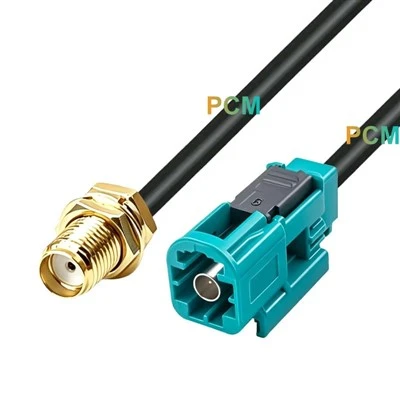
Rosenberger Fakra To SMA Cable
Rosenberger to SMA 50 Ohm coaxial cable with four connector configurations for automotive RF modules, antennas and test
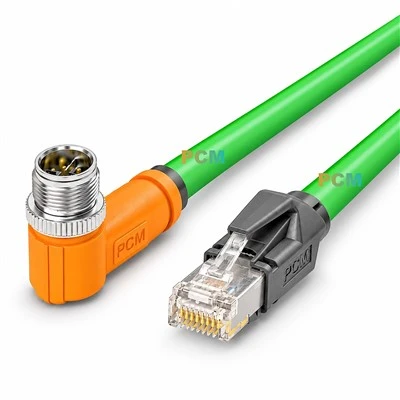
M12 X-Code To RJ45 Cable
M12 X-Code to RJ45 Cat6A cable for 10Gb industrial Ethernet, compatible with X-coded M12 devices, switches and