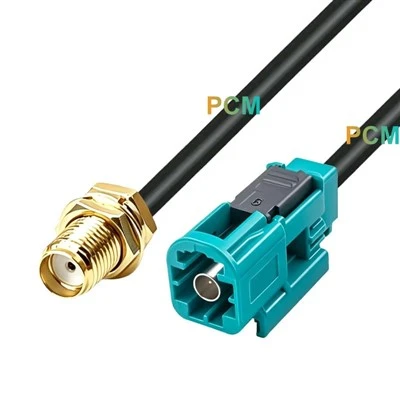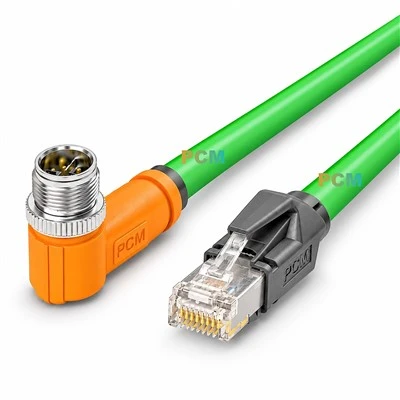
Kit Contents
- 5-Way T-Splitter or multiple Tee connectors
- Drop Cable: 1~5 meters
- Male Terminator ×1
- Female Terminator ×1
- Power Cable with Fuse ×1

Installation steps
1. Plan the network topology
- NMEA 2000 is a standard network structure based on CAN bus.
- The total length of the trunk line cannot exceed 100 meters, and each Drop Cable cannot exceed 6 meters.
- All devices are connected to the trunk line through Tee connectors.
2. Connect the trunk line
- Use a 5-Way T-Splitter or multiple T-Splitters in series to form a trunk line.
- Each Tee provides an intermediate port for connecting the Drop Cable of the device.
3. Connect the power supply
- Use the power cord to connect the power supply to any T connector of the trunk line.
- It is recommended to use a 12V power supply and make sure it has a fuse (usually 4A).
- Red is positive and black is negative.
4. Connect the terminal resistor
- Install a male terminator and a female terminator at both ends of the trunk line.
- The terminal resistor value is 120Ω and must be installed, otherwise the system communication will be unstable.
5. Connect the device
- Use the Drop Cable to connect the device to the Tee port on the main line.
- Make sure each connection is tight and secure, the interface is aligned, and avoid bending the cable.

Notes
- The connector is standard NMEA 2000 M12 5Pin (A-Coded). Do not mix incompatible devices.
- The power supply equipment must be stable to avoid high voltage or reverse connection.
- All cables should use NMEA 2000 certified cables to ensure waterproof and anti-interference.
- When not in use, the unoccupied Tee connector port can be covered with a dust cap.